Private AI for your company · FDE as a service
FDE = forward-deployed engineers: we work inside your team, in your office or remotely, until the AI works in your daily routine.
Your data is worth gold. Put AI to work on it, without it ever leaving your company.
We set up AI that works on your company's own information: documents, records, emails, call and meeting recordings. It finds answers, prepares reports and takes routine tasks off your team. It runs on a server in your office or on a private server rented only for you, so your data is never sent to outside AI services. You keep your promises to clients, and you can show anyone exactly what the AI did.
Runs inside your company, under your control
Nothing sent to outside AI services, so client NDAs are kept
Every step on record, ready for clients, auditors and the EU's new AI law

Your data is what makes you different. Public AI tools take it outside your company.
Contracts, client files, years of records, emails, call and meeting recordings: this is what sets your company apart from every competitor. But most of it is scattered across folders and systems, and hard to use. And when your people do use AI, they often copy that same information into public chatbots, where it leaves your company and is handled by a business your clients never agreed to.
For many firms this is more than a privacy worry. It can break the confidentiality agreements (NDAs) you signed with your clients, and if anyone asks, there's no record of who shared what.
There's a better way: AI that works on your data, inside your company, under your rules.

Private AI on your own data. Under your control, and owned by you.
Your data stays yours. So does everything we build.

Stays inside your company
The AI runs on your own server or a private server rented only for you. Nothing is sent to outside AI services.
You decide who sees what
People see only what they're already allowed to see today. Names and personal details can be hidden automatically.
Everything on record
Every question and every action is recorded: what was used, by whom, and when. A person approves wherever it matters.
Yours, not rented
No monthly subscription, no fee per user or per minute, no limit on team size. Nothing is locked or deleted if you stop working with us.
You can choose to use an outside AI service for some tasks, but only where you allow it, and only with names and personal details removed.
What AI can do for your company
We start with the task that costs your team the most time, then add more.
Find answers in your documents
Ask a question in plain English and get the answer from your contracts, policies, client files and emails, with a link to where it came from. Find a clause, compare two versions, pull out dates and amounts, or prepare a first draft from your own templates.
Make sense of your records
Years of figures in your systems and spreadsheets turned into answers, charts and reports, just by asking. Nothing is copied to an outside tool.
Calls and meetings, written up for you
Recordings turned into text, summaries, decisions and to-do lists, and calls checked against your own quality or compliance checklist.
Routine tasks done for you
AI assistants (AI agents) that turn meetings and emails into tasks, keep your customer database up to date, draft follow-ups, check documents and prepare reports. A person approves before anything goes out.
Stay on the right side of the rules
We list where AI is used in your company and what information it touches, then put in place what clients, auditors and the EU's new AI law (EU AI Act) expect: who can see what, a record of every step, a person in charge, and clear written rules. Your lawyer has the final say; we give them everything they need.
Not sure where to start?
Tell us where your team loses the most time. We'll tell you honestly whether AI can help, and how we'd measure it.
Free 30-min AI assessment→Included in every project: setting up the AI on your server or a private one · choosing and sizing the equipment · preparing your data · removing personal details where needed · testing on your real work · training your team.
What this looks like in practice
Real examples of what we build. Open any card to see how it works, step by step: where the information comes from, what the AI does with it, and where a person stays in charge. We design yours with you, so treat these as starting points.
Connects to the tools you already use: Jira and other task boards, Salesforce, Pipedrive and other customer databases (CRMs), HR systems such as Hurma, Zoho People and BambooHR, Microsoft 365, Google Workspace, phone and helpdesk systems, accounting and document systems. It gets only the access each step needs.
Law and tax firms: answers from contracts and client files
Find any clause, date or obligation across thousands of documents in seconds, with a link to the source.
See how it works→
Law and tax firms: answers from contracts and client files
Find any clause, date or obligation across thousands of documents in seconds, with a link to the source.
Today: Contracts, case files and client emails are spread across folders, document systems and inboxes.
How it works
- 1Connects to your document system, shared folders and email archive. It can read them, but can't change anything.Stays in your company
- 2Reads every file, including scanned paper documents.Stays in your company
- 3Remembers who may see what: each document keeps the same access rights it has today.Stays in your company
- 4Answers questions in plain English, quoting the exact clause and linking to the document. People only get answers from files they're allowed to open.Stays in your company
- 5Drafts comparisons, deadline lists or first drafts from your own templates; a lawyer reviews them before use.You approve
You get
An assistant your lawyers trust, because every answer shows where it came from.
We'd measure
Time to find a clause or answer a client question, before and after.
First project
One practice area, one team, 2–3 weeks.
Consulting and agencies: reuse what your company already knows
Past proposals, project files and workshop notes become answers the whole team can use.
See how it works→
Consulting and agencies: reuse what your company already knows
Past proposals, project files and workshop notes become answers the whole team can use.
Today: Years of proposals, reports, presentations and workshop recordings that nobody can find when a similar project comes in.
How it works
- 1Connects to your shared folders, project archive and, if you like, meeting recordings.Stays in your company
- 2Reads documents and presentations and turns recordings into text.Stays in your company
- 3Sorts everything by client, industry, service and year, hiding personal details where needed.Stays in your company
- 4Answers questions like "What did we propose to similar clients, and at what price?", with the sources.Stays in your company
- 5Drafts a new proposal from your best past examples; a consultant edits and approves it.You approve
You get
New staff up to speed faster, and proposals built on your best work instead of a blank page.
We'd measure
Hours to prepare a proposal; time for a new hire to find what they need.
First project
One service line's archive, 2–3 weeks.
Finance and operations: answers and reports from your records
Ask your own figures a question in plain English and get the numbers, a chart and how they were worked out.
See how it works→
Finance and operations: answers and reports from your records
Ask your own figures a question in plain English and get the numbers, a chart and how they were worked out.
Today: Years of figures in your accounting system, customer database and spreadsheets; monthly reports put together by hand.
How it works
- 1Connects to your systems and spreadsheets. It can read them, but can't change anything.Stays in your company
- 2Learns your data: what each figure means, written down once with your team.Stays in your company
- 3Answers questions in plain English and shows how it calculated the result, so anyone can check it.Stays in your company
- 4Explains the result with a chart and a short comment, and points out anything unusual.Stays in your company
- 5Drafts the monthly report automatically; a person checks it and sends it.You approve
You get
Answers in minutes instead of waiting for someone to pull the numbers, and a monthly report that's mostly done before anyone starts.
We'd measure
Hours spent on the monthly report; time to answer a one-off question about the numbers.
First project
One report or one system, 2–3 weeks.
Call centres and customer support: every call checked, not just a few
Every call and support ticket checked against your own checklist, with problems flagged for a supervisor.
See how it works→
Call centres and customer support: every call checked, not just a few
Every call and support ticket checked against your own checklist, with problems flagged for a supervisor.
Today: Call recordings and support tickets pile up; quality checks are done by hand on a small sample.
How it works
- 1Collects new recordings and tickets from your phone and helpdesk systems.Stays in your company
- 2Writes out each call and marks who said what (agent or customer).Stays in your company
- 3Hides card numbers, ID numbers and other personal details.Stays in your company
- 4Checks every call against your checklist: greeting, script, required statements, whether the problem was solved, tone.Stays in your company
- 5Summarises why customers get in touch and what goes wrong, by topic. For very large volumes, an outside AI service can help, with names removed and only if you allow it.Stays in your company
- 6Flags calls that need attention for a supervisor, with simple dashboards for team leaders.You approve
You get
Quality checked on every call, and a clear view of what customers keep asking about.
We'd measure
% of calls checked; supervisor time per check; customers calling back about the same problem.
First project
One team, first results within about two weeks of receiving recordings.
Any team: from meetings to done
Meetings become notes, decisions and follow-ups, drafted for you and approved by you.
See how it works→
Any team: from meetings to done
Meetings become notes, decisions and follow-ups, drafted for you and approved by you.
Today: Meetings on Teams, Zoom or Google Meet, or in the office; notes taken by hand, follow-ups forgotten.
How it works
- 1Records the meeting, with a clear notice to everyone taking part.Stays in your company
- 2Writes out the conversation and marks who said what.Stays in your company
- 3Pulls out the summary, decisions, to-dos, who's responsible and by when.Stays in your company
- 4Drafts the follow-up email and the tasks for your task board or customer database.Stays in your company
- 5You check and send with one click.You approve
- 6Keeps every meeting searchable later, for the people who are allowed to see it.Stays in your company
You get
No more note-taking, and no follow-up forgotten.
We'd measure
Hours of note-taking saved per week; follow-ups sent within a day.
First project
One team's meetings, 2 weeks.
Real estate agencies: no lead left without a reply
Calls, viewings and listings captured, your customer database kept up to date, and a follow-up ready for every lead.
See how it works→
Real estate agencies: no lead left without a reply
Calls, viewings and listings captured, your customer database kept up to date, and a follow-up ready for every lead.
Today: Agents' calls and viewing notes, listings and contracts; the customer database updated late or not at all.
How it works
- 1Captures calls and voice notes from viewings.Stays in your company
- 2Notes what the client wants: budget, area, dates, concerns.Stays in your company
- 3Updates the client's record and finds matching properties.Stays in your company
- 4Drafts a follow-up message with the matching properties; the agent edits and sends it.You approve
- 5Reminds the agent about leads nobody has contacted for a few days.Stays in your company
You get
An up-to-date customer database without typing, and faster replies to every lead.
We'd measure
Leads answered within a day; time agents spend on paperwork.
First project
One office or team of agents, 2–3 weeks.
Project teams: Jira and other task boards
Requests from meetings, emails and chats become clear tasks on your board, and the weekly status report writes itself.
See how it works→
Project teams: Jira and other task boards
Requests from meetings, emails and chats become clear tasks on your board, and the weekly status report writes itself.
Today: Requests arrive in meetings, client emails and chat; someone retypes them into Jira, Asana, monday.com or another task board, and the weekly report takes half a day.
How it works
- 1Collects meeting notes, client emails and chat messages that mention work to be done.Stays in your company
- 2Pulls out each task: what, why, when it's done, deadline, who asked.Stays in your company
- 3Checks your board for the same task already there, and links related ones.Stays in your company
- 4Drafts the task in your usual format, with a suggested owner and priority.Stays in your company
- 5The project manager accepts, edits or rejects each one with one click; only then is it added to the board.You approve
- 6Writes the weekly status report: done, in progress, stuck, overdue.Stays in your company
You get
Nothing lost between a meeting and the to-do list, and status reports without the manual work.
We'd measure
Time from request to task; requests that never made it onto the board; hours spent on status reports.
First project
One project or one team's board, 2–3 weeks.
Sales teams: Salesforce, Pipedrive, HubSpot and other customer databases
Your customer database updates itself after every call, email and meeting, and no deal goes quiet unnoticed.
See how it works→
Sales teams: Salesforce, Pipedrive, HubSpot and other customer databases
Your customer database updates itself after every call, email and meeting, and no deal goes quiet unnoticed.
Today: Salespeople spend hours on data entry, records are half empty, next steps live in people's heads, and sales forecasts are guesswork.
How it works
- 1Collects sales calls, meetings and emails for each client and deal.Stays in your company
- 2Notes what matters: budget, who decides, timing, concerns, competitors mentioned, the agreed next step.Stays in your company
- 3Updates the deal record and adds new contacts from the conversation. Simple fields can be updated automatically once you trust it.You approve
- 4Creates follow-up tasks and drafts the follow-up email in the salesperson's own style.You approve
- 5Watches all deals and flags those with no recent contact, no next step or a missed date.Stays in your company
- 6Tidies up: lists duplicates, missing details and outdated contacts for a quick review.You approve
You get
A customer database you can trust for forecasts, and salespeople who spend their time selling.
We'd measure
% of deals with complete details and a next step; follow-ups sent within a day; hours of data entry per salesperson per week.
First project
One sales team, 2–3 weeks.
Across your tools: one event, every system updated
When something happens in one system, the follow-up tasks appear in all the others, ready for you to approve.
See how it works→
Across your tools: one event, every system updated
When something happens in one system, the follow-up tasks appear in all the others, ready for you to approve.
Today: A new client means the same details typed into three or four systems by different people, and steps get missed.
How it works (example: a deal is won)
- 1Notices a deal marked "won" in your customer database.Stays in your company
- 2Reads the deal, the signed proposal and the notes from sales calls.Stays in your company
- 3Creates the project on your task board with your usual onboarding steps, filled in for this client.You approve
- 4Prepares the kick-off: meeting invitation, welcome email to the client and a hand-over summary for your team.You approve
- 5Adds the new client to your accounting system and sets up their shared folder.You approve
- 6Checks a week later that every onboarding step has an owner and a date, and reminds anyone missing.Stays in your company
Same idea, other examples: a customer complaint becomes a task for the right team with the call summary attached; a new supplier contract puts its renewal date and obligations in the calendar; a client email asking for a change becomes a change request linked to their project.
You get
Hand-overs where nothing is dropped, and no more copying the same details between systems.
We'd measure
Time from "won" to kick-off; onboarding steps missed; hours of manual data entry.
First project
One hand-over between two or three systems, 2–3 weeks.
HR: Hurma, Zoho People, BambooHR and other HR systems
Ask your HR data a question in plain English: headcount, staff turnover, absence and hiring trends, without exporting anything.
See how it works→
HR: Hurma, Zoho People, BambooHR and other HR systems
Ask your HR data a question in plain English: headcount, staff turnover, absence and hiring trends, without exporting anything.
Today: Your HR system holds years of data on staff, leave, hiring and onboarding, but every report means an export, a spreadsheet and hours of HR's time.
How it works
- 1Connects to your HR system. It can read the data, but can't change anything.Stays in your company
- 2Hides names and personal details before any analysis; only HR and the people you choose can see the original records.Stays in your company
- 3Answers questions like "How has staff turnover changed by department over three years?" or "How long does hiring take for each role?", with the numbers, a chart and how they were worked out.Stays in your company
- 4Points out trends by team and across the company: rising absence in one department, slow hiring steps, onboarding running late.Stays in your company
- 5Drafts the monthly HR report and board figures; HR checks and shares them.You approve
- 6Answers staff questions about leave, benefits and policies from your own handbook, with the source.Stays in your company
What we don't build: AI that screens job applicants, rates or ranks individual employees, or makes decisions about people. We look at teams and the company as a whole, and all personal data stays inside your company.
You get
HR figures in minutes instead of days, and an early view of trends across the company.
We'd measure
Hours spent on HR reports; time to answer a management question about staff.
First project
One HR system and one monthly report, 2–3 weeks.
Don't see your situation?
If your team spends hours searching documents, preparing reports or doing repetitive admin, we can probably help. Tell us where the time goes, and we'll sketch how it would work for you on a free call.
Get a free 30-min AI assessment→Product names belong to their owners and are used only to show what we connect to. We're not affiliated with them.
AI assistants that take routine work off your team
The examples above follow fixed steps. An AI assistant (often called an AI agent) is given a goal and access to some of your tools, and works out the steps itself: it reads an email, looks up the client, finds the right document, drafts the reply and creates the task. Ours run inside your company, use only the tools you give them, and ask a person whenever it matters.
You decide how much it may do
For each task you choose: only look, prepare a draft for a person, act after a person approves, or act alone (only for small things that can be undone). Most assistants start with drafts and earn more trust over time.
Only the access it needs
Each assistant has its own login with just the permissions its job needs. It can't see or touch anything else.
Everything on record
Every step, every tool it used and every change it made, with the reason. You can look back at anything it did.
Limits and an off switch
Limits on how much it may do per day, anything unusual goes to a person, and one click stops it.
We test every assistant on your real work before it starts, and measure it like any first project. Keeping a person in charge is also what the EU's new AI law asks for.
AI assistantInbox assistant: every email answered or passed on, nothing lost
Reads your shared inboxes, works out what each email needs, and prepares the reply, the task or the hand-over.
See how it works→
Inbox assistant: every email answered or passed on, nothing lost
Reads your shared inboxes, works out what each email needs, and prepares the reply, the task or the hand-over.
The goal
Every email to info@, support@ or sales@ gets the right next step within the hour.
Tools it uses
Shared mailbox · customer database · helpdesk or task board · your documents · calendar.
How it works
- 1Reads each new email and its attachments.
- 2Looks up the sender and your history with them.
- 3Decides what it is: a question, a request, a complaint, an invoice, a new lead, spam.Decides
- 4Finds the answer in your documents and drafts a reply in your tone, showing where the answer came from.
- 5Creates a task or offers a meeting time when the email needs work, not just an answer.
- 6Passes anything unclear, sensitive or angry to the right person, with a short summary.
Safety rules: replies are drafts until you allow it to send answers to simple, common questions · never promises prices, dates or refunds · never deletes an email.
Example: A client emails to move a meeting and add a colleague. The assistant finds the client, checks the calendar, drafts a reply with two new times and an updated invitation, and sends it to the account manager to approve with one click.
AI assistantSales follow-up assistant: no deal goes quiet
Goes through your deals every morning, prepares the next step for each one and keeps your customer database tidy.
See how it works→
Sales follow-up assistant: no deal goes quiet
Goes through your deals every morning, prepares the next step for each one and keeps your customer database tidy.
The goal
Every open deal has a next step and recent contact.
Tools it uses
Customer database (Salesforce, Pipedrive, HubSpot…) · email · calendar · call and meeting notes · your proposal templates.
How it works
- 1Every morning, reviews each open deal and the last contact.
- 2Decides which deals need attention: no contact for a while, a promise made in the last call, a proposal waiting for an answer.Decides
- 3Reads the last conversation to see where things stand.
- 4Drafts the follow-up email, or an updated proposal from your templates.
- 5Updates the deal: next step, date, notes, missing details.
- 6Sends each salesperson a short morning list: "5 follow-ups ready to send, 2 deals at risk."
Safety rules: only the salesperson sends emails to clients · changes to deal stage or value are suggestions, not edits · a limit on emails per client per week.
Example: Of 64 open deals, 7 have had no contact for 10 days. The assistant reads the last calls and drafts 7 follow-ups, one answering a pricing question the client asked. It flags 2 deals whose decision date has passed and sends the list to 3 salespeople.
AI assistantProject assistant: the daily update, done before the morning meeting
Checks your task board, team chat and meeting notes, chases what's stuck and keeps tasks up to date.
See how it works→
Project assistant: the daily update, done before the morning meeting
Checks your task board, team chat and meeting notes, chases what's stuck and keeps tasks up to date.
The goal
The task board shows what's really happening, and problems are known the day they appear.
Tools it uses
Jira or another task board · team chat · meeting notes · calendar.
How it works
- 1Each morning, reads task changes, chat messages and yesterday's meeting notes.
- 2Decides what's out of date: tasks not updated, work mentioned in chat but missing from the board, deadlines at risk.Decides
- 3Asks the person responsible a short question in chat when something is unclear.
- 4Updates the tasks from their answers.
- 5Drafts new tasks for work agreed in meetings, for the project manager to approve.
- 6Posts a short summary for the team, and a weekly report for the client or management.
Safety rules: never closes or deletes tasks · new tasks and priority changes need the project manager's OK · asks each person at most once a day.
Example: The assistant finds 3 tasks nobody has updated for a week, asks 2 people in chat, updates the tasks from their answers, drafts 1 new task from yesterday's client call, and posts the team summary at 9:00.
AI assistantContract assistant: every incoming contract checked against your standards
Reads incoming contracts and NDAs, compares them with your standard terms and marks every difference for a lawyer.
See how it works→
Contract assistant: every incoming contract checked against your standards
Reads incoming contracts and NDAs, compares them with your standard terms and marks every difference for a lawyer.
The goal
No contract is signed with a clause you wouldn't accept, and lawyers only spend time on what's different.
Tools it uses
Inbox or document system · your standard terms and templates · contracts you signed before · your task list.
How it works
- 1Picks up a new contract from the inbox or document system.
- 2Works out what kind of contract it is and who the parties are.
- 3Compares each clause with your standard terms and with similar contracts you've signed.
- 4Decides for each difference: fine, needs your usual fix, or needs a lawyer.Decides
- 5Prepares a marked-up copy with suggested wording from your templates, and a one-page summary of risks, dates and obligations.
- 6Creates a task for the responsible lawyer, with a deadline.
Safety rules: never sends anything to the other side · every suggestion shows which of your rules or past contracts it's based on · the lawyer decides.
Example: A new NDA arrives. The assistant finds 3 differences from your standard: a different country's law, no protection for what you already knew before, and a 10-year confidentiality period. It drafts your usual fix for two of them, marks the third for a lawyer, and creates a task for the partner, due tomorrow.
AI assistantInvoice assistant: invoices checked and entered, mistakes caught
Reads supplier invoices, checks them against orders and contracts, and enters them in your accounting system for approval.
See how it works→
Invoice assistant: invoices checked and entered, mistakes caught
Reads supplier invoices, checks them against orders and contracts, and enters them in your accounting system for approval.
The goal
Every invoice entered correctly and on time, and nothing paid that you didn't order.
Tools it uses
Invoices inbox · accounting system · purchase orders · supplier contracts · team chat.
How it works
- 1Reads each invoice, including scanned ones: supplier, amounts, tax, dates, items.
- 2Finds the matching order or contract.
- 3Decides: if it matches, it's prepared for entry; if not (wrong price, wrong quantity, a duplicate, an unknown supplier), it's flagged with the reason.Decides
- 4Enters matching invoices in your accounting system as drafts, in the right category.
- 5Asks the budget owner in chat about unclear ones.
- 6Sends finance a daily list: ready to approve, waiting for an answer, rejected.
Safety rules: never pays or approves anything · new suppliers and changed bank details always go to a person (a common type of fraud) · spending limits per supplier.
Example: 12 invoices arrive. 9 match their orders and are entered as drafts. One is 8% above the agreed price, one looks like a duplicate, and one is from a new supplier: all three go to finance with the reason.
AI assistantMeeting prep assistant: a one-page brief before every client meeting
The evening before each client meeting, prepares a one-page brief from your customer database, documents and past conversations.
See how it works→
Meeting prep assistant: a one-page brief before every client meeting
The evening before each client meeting, prepares a one-page brief from your customer database, documents and past conversations.
The goal
Nobody walks into a client meeting unprepared.
Tools it uses
Calendar · customer database · documents · past calls and meetings · task board · public web search, if you turn it on (only the client's company name is searched, never your own information).
How it works
- 1Checks tomorrow's calendar for client meetings.
- 2Collects everything about the client: project or deal status, open issues, recent conversations, promises made, unpaid invoices.
- 3Decides what matters for this meeting and what's new since last time.Decides
- 4If you allow it, checks public news about the client's company.
- 5Writes a one-page brief: who's coming, the history, open points, a suggested agenda and questions to ask.
- 6Sends it to your attendees the evening before.
Safety rules: uses only information the person is allowed to see · web search is off unless you turn it on · every fact shows where it came from.
Example: For tomorrow's meeting with one client, the brief shows 2 open issues, a promise from the last call ("send the new timeline") and an invoice 15 days overdue, with a suggested agenda. It goes to both attendees at 18:00.
Is there a task that eats up your team's week?
Describe it on a free call, and we'll sketch the assistant with you: what it should do, which tools it needs, and where a person stays in charge.
Get a free 30-min AI assessment→FDE as a service: we work inside your team, the way you prefer
In your office, remotely, or both: your choice. We can work in your office alongside your team, fully remotely, or a mix: in person for the first workshops, the launch and the training, with the technical work done remotely. This is FDE (forward-deployed engineering): engineers who join your team until the AI works in your real daily work, instead of selling you software and leaving. Large AI companies work this way with their biggest clients; we offer it as a service to companies of 10 to 200 people whose business isn't technology: law and tax firms, consultancies, agencies, real estate, finance teams, service companies. You bring the know-how of your business; we bring the AI team you don't need to hire.
Free AI assessment
You tell us where the time goes. We tell you whether AI can help and how we'd measure it.
You get: an honest yes or no, and a first idea of where to start.
Discovery week
We talk to your team, look at one way of working in detail, check your data, equipment and rules, and agree how we'll measure success.
You get: a written plan: what we'll build, how it fits your systems, where your data goes, a fixed price for the first project, and the result we'll be measured on.
First project (pilot)
We build it, set it up inside your company, connect it to the tools your team already uses, and train the people who'll use it.
You get: AI in daily use by one team, and a measured before-and-after result.
Grow and support
We look after the system, improve it and add the next task.
You get: an experienced AI team on call, without hiring one.
If the Discovery week shows a first project isn't worth it, we tell you, and you keep the plan. A first project covers one task with one team, in real daily use. Using it across the whole company is a separate step, planned with you.
Real results, no hype.
For every project we agree results you can check yourself (minutes, percentages, counts), measured before and after on your real work. No inflated "10x" promises.
Examples: time to find an answer in your documents · hours spent on the weekly report · documents checked per day · % of calls checked · leads answered within a day.
What does it cost? Less than you probably think. The Discovery week and the first project have a fixed price, agreed before we start. No monthly subscription for the system itself.
Where the AI runs: in your office, on a private server, or both
We plan the equipment with you, then buy, set up and look after it.
In your office
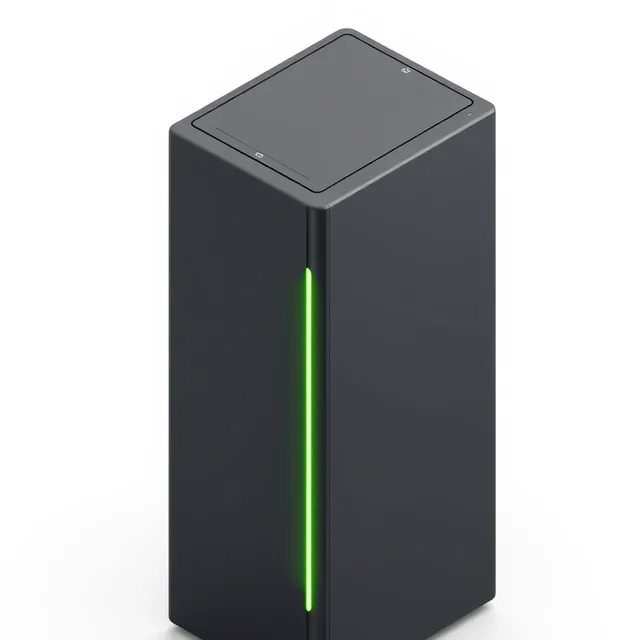
A dedicated AI computer (server) in your office or server room. Nothing leaves the building. You pay once for the equipment; no monthly fees for computing.

Private server
A powerful server rented only for you, in the country you choose (EU, UK or US). Locked down, not open to the internet, and only you hold the keys. No equipment to buy; you pay the server company monthly, not us.

Both
Sensitive information (client files, recordings, personal data) stays on your own server; tasks with names removed, or busy periods, can use the private server. A common path: start the first project on a rented server, then move to your own equipment.
Equipment prices change fast, so we quote current prices for your exact needs during the Discovery week. Equipment is bought in your name and belongs to you.
What we take care of: choosing the right equipment · building and installing it in your office · setting up the private server · keeping it running: updates, backups, security, monitoring.
Start with one task. Grow into a company that knows everything it knows.
Each step is its own small project, with its own result to measure. Start wherever it hurts most.
01
Connect
Your documents, records, emails and recordings brought together inside your company, with the right access for each person.
02
Know
Anyone on the team gets answers with sources, instead of searching or asking around.
03
Act
AI assistants handle the routine work, with a person approving.
04
See
Live overviews and a weekly AI briefing for management, built from the documents, records and conversations your reports can't show today.
See it on a sample company
A walkthrough on a made-up company: a question about a contract answered with its source, a report built from past figures, and a client call turned into a summary and a follow-up. Each step shows where it runs and what is recorded.
Why work with us
A person in the room, not a support ticket.
In your office, remotely or both. Your delivery lead is responsible for the result from the first call to launch.
Experienced people only.
The people who plan your system are the people responsible for building it.
Your company, your rules.
Your sensitive information is never sent to outside AI services. Access rules, records of every step and hidden personal details from day one.
Real results, no hype.
Every first project has a result you can check, agreed in writing and measured before and after.
You own everything.
The system, its settings, anything trained on your data, and the data itself. No subscription, no lock-in, no fee per user.
Who you'll work with
Taras Koroliv
Your main contact from the first call to launch. Runs the Discovery week, the workshops, the launch and the training with your team, and is responsible for the result we agree on.
LinkedIn →Engineering team
Senior engineers led by an architect with 15+ years of building high-performance cloud platforms and secure business systems. Experts in AI, speech and text processing, and reliable infrastructure.
You'll meet the delivery lead and a senior engineer on the free assessment call. We work with clients in the US, Canada, the UK, Spain and the rest of the EU.
Good questions to ask before you start
Didn't find yours? Ask us on the free assessment call.
Getting started
What do we need to prepare for the free assessment?
Nothing formal. Come with the task that costs your team the most time, and a rough idea of the tools you use. In 30 minutes we'll tell you honestly whether AI can help and how we'd measure it.
How much of our team's time will this take?
Not much. In the Discovery week we talk to the people involved, about an hour each. During the first project we need one person on your side to own it (an hour or two a week) and a small team willing to use it and tell us what works.
Who should be involved on our side?
Someone who owns the result and can make decisions, and the people who do the work today. If you have an IT person or an outside IT provider, we bring them in for access and security; if not, we take care of it.
How soon can we start?
Usually within two weeks of the assessment call.
What if AI isn't the right answer for us?
Then we'll tell you, on the call or at the end of the Discovery week. If a first project isn't worth it, you keep the written plan.
Your data and privacy
What kind of information can it work with?
Almost anything your team uses: documents and PDFs, scanned paper, emails, spreadsheets, your customer database, task boards, HR and accounting systems, call and meeting recordings. In the Discovery week we look at what you have and what's worth starting with.
Where does our data go?
Nowhere outside your company. The AI runs on your own server or on a private server rented only for you. An outside AI service is used only where you allow it, and only with names and personal details removed.
Can we use it on client information covered by an NDA?
That's what it's built for. Because nothing goes to an outside AI service, you don't hand your clients' information to a company they never agreed to. Your lawyer checks your specific contracts; we show them exactly where the information goes.
Will our data be used to train AI for anyone else?
No. Your data is used only for you. Anything we train on it stays in your company and belongs to you.
Do you see our data?
Only what we need to build and test the system, under a confidentiality agreement and a data processing agreement, with every access recorded. Where needed, we work on samples with names removed, or in your office.
Does this help with privacy laws (GDPR) and the EU's new AI law?
Yes. Your data stays inside your company, and access rules, records of every step, a person in charge and how long data is kept are built in. If you work in the EU or serve EU customers, our EU AI Act check shows where AI is used, what it touches and what paperwork you need, and we train your team to use AI properly. Your lawyer or data protection lead has the final say; we give them everything they need.
Do we need permission to record calls and meetings?
It depends on the country and, in the US, on the state: some places require everyone on the call to agree. We help you set up clear recording notices; your lawyer confirms what applies to you.
Is this a way to monitor employees?
No. We look at the business (clients, deals, quality, risks), not at individual staff. You decide what is tracked, within the law.
Working together
What if our team sees AI as a threat to their jobs?
We replace no one; we help your team. AI takes routine work off people's plates (notes, searching, follow-ups, paperwork), so they have more time for clients and the work that needs their experience. Your team is involved from day one: we talk to the people who do the work, they help shape the system, and a person stays in charge wherever it matters. That's also why we work in your office: people trust a tool they helped build.
What does "FDE as a service" mean?
FDE stands for forward-deployed engineering. Instead of selling you software and leaving you to set it up, our engineers work alongside your team, in your office or remotely, until the AI works in your real daily work. "As a service" means you get this for one project at a time, without hiring an AI team.
Do you work in our office or remotely?
Whichever you prefer, or a mix. Many clients want us in the office for the first workshops, the launch and the training, with the technical work done remotely.
What happens after the first project?
You choose. Keep the system and run it yourselves, with instructions and training included. Or keep us on monthly support to look after it, improve it and add the next task.
We don't have an IT team. Is that a problem?
No. Most of our clients don't. We set everything up, look after it on monthly support if you want, and your team only needs to use it, like any other office tool. If you work with an outside IT provider, we coordinate with them.
Can our own IT people run it without you?
Yes, if you have them. You own the system, its settings and the instructions, and we train whoever will look after it. That's the point of owning it.
Costs and ownership
What does it cost?
Less than you probably think. The assessment is free. The Discovery week and the first project have a fixed price, agreed before we start. Equipment or server costs are shown separately and paid to the seller, not to us.
Do we pay a monthly subscription?
No. You own the system. Optional monthly support is there if you want us to look after it and improve it.
Who owns what we build?
You do: the system, its settings, anything trained on your data, and of course the data itself.
What happens to our data if we stop working with you?
Nothing. It's inside your company, under your rules, and it stays there.
Why not just use a public chatbot or a ready-made online tool?
You can, if you're comfortable with your data leaving your company and paying per user or per minute for ever. We're for companies that see their data as an asset: it stays inside, and the system belongs to you.
Technology
Do we need to buy special computers?
Not to start. A first project can run on a private server rented only for you. For long-term use, one office server with a couple of graphics cards covers most small companies; we choose it, build it and set it up.
How accurate is it?
We test it on your real work before launch and measure it against the result we agreed. Where a mistake would matter, a person checks and approves.
Which languages does it handle?
Tell us which languages your documents, calls and meetings use, including calls that switch language. We check support and quality on your own samples during the free assessment.
Which tools does it connect to?
Most business tools: task boards such as Jira, Asana and monday.com; customer databases such as Salesforce, Pipedrive and HubSpot; HR systems such as Hurma, Zoho People and BambooHR; Microsoft 365, Teams, Zoom and Google Workspace; phone and helpdesk systems; accounting and document systems. Wherever possible it can only look, not change; anything it writes into your systems is approved by a person until you decide otherwise.
Start with one task. Measure it. Grow from there.
A free 30-minute call. Tell us where your team loses the most time, and which information you can't risk sharing. We'll tell you honestly whether AI can help, and how we'd measure it. Send the short form below and we'll reply within one working day with a few times to choose from.
Thank you! We'll reply within one working day with a few times for your free 30-minute call.
Something went wrong. Please fill in every field, tick the boxes and try again, or email hello@dscover.us.
No preparation needed. We use your details only to reply to you (Privacy Policy). This form is protected by Google reCAPTCHA. Prefer email? Write to hello@dscover.us.